
Best Sitting Posture for IT Professionals Working From Home
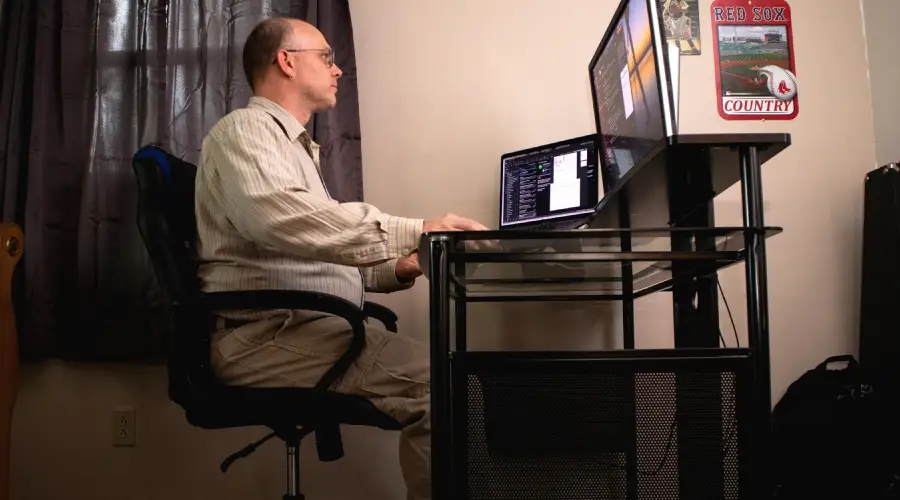
Table of Contents
| • Why Sitting Posture Matters |
| • Common Problems IT Professionals Face While Working From Home |
| • What Is the Ideal Sitting Posture? |
| • Best Sitting Posture for IT Professionals |
| • Common Posture Mistakes While Working From Home |
| • How Physiotherapy Helps Posture Related Problems |
| • Importance of Exercise Therapy for Desk Workers |
| • Simple Exercises to Improve Sitting Posture |
| • Tips for Creating an Ergonomic Workstation at Home |
| • Common Myths About Sitting Posture |
| • When Should You See a Physiotherapist? |
| • Why Choose Rehabify? |
| • Frequently Asked Questions |
| • Conclusion |
Working from home has become a normal part of life for many IT professionals. While remote work offers flexibility and convenience , it has also led to a major increase in posture-related problems.
Long hours in front of laptops , poor workstation setups , and reduced physical activity often contribute to:
• neck pain 🤕🧍
• back pain 🦴
• shoulder stiffness 💪
• headaches 🤯
• wrist discomfort ✋
• poor posture 🧍♂️
Many people unknowingly work from beds , couches , or dining chairs without proper spinal support for several hours. Over time, this places continuous stress on muscles and joints.
The good news is that simple posture correction and ergonomic adjustments can significantly reduce strain on the body and improve comfort during work.
In this article, we will discuss the best sitting posture for IT professionals working from home, common posture mistakes, and how physiotherapy and exercise therapy can help maintain spinal health.
Why Sitting Posture Matters
Posture directly affects the alignment of the spine, muscles, and joints. When sitting posture is poor for prolonged periods , certain muscles become overworked while others gradually weaken. This imbalance often leads to discomfort and reduced mobility.
Poor sitting posture may contribute to:
• chronic back pain 🤕🦴
• neck stiffness 🧍
• rounded shoulders 🔄
• spinal stress ⚠️
• muscle fatigue 😴
• reduced productivity 📉💻
Maintaining correct posture helps distribute body weight evenly and reduces unnecessary strain on the spine.
Common Problems IT Professionals Face While Working From Home
Remote working environments are not always ergonomically designed.
Many professionals experience: Over time, these habits can affect posture and overall musculoskeletal health.
slouching while working
prolonged sitting without breaks
leaning forward toward screens
laptop use at incorrect height
unsupported lower back
tight hips and hamstrings
What Is the Ideal Sitting Posture?
The ideal sitting posture keeps the spine in a neutral and supported position. The body should feel relaxed rather than stiff or strained.
A correct sitting posture generally includes:
• straight but relaxed back 🧍
• shoulders relaxed 🤷♂️
• feet flat on the floor 👣
• hips and knees at approximately 90 degrees 📐
• screen at eye level 💻👀
• elbows comfortably supported 💪
Good posture should feel natural and sustainable over long working hours
Best Sitting Posture for IT Professionals
Keep Your Back Supported
Your lower back should have proper support while sitting.
Using a chair with lumbar support helps maintain the natural curve of the spine and reduces pressure on the lower back.
Avoid sitting on beds or soft couches for prolonged work hours.
Maintain Neutral Spine Alignment
Avoid excessive slouching or leaning forward.
The ears, shoulders, and hips should ideally remain aligned while sitting.
Neutral spine positioning reduces strain on muscles and spinal joints.
Keep Your Feet Flat on the Floor
Feet should remain fully supported on the ground.
Dangling feet or crossing legs for long durations may affect posture and circulation.
If needed, use a footrest for support.
Position the Screen at Eye Level
One of the biggest causes of neck pain among IT professionals is incorrect screen height.
The monitor should be placed directly in front of you with the top of the screen near eye level.
This helps prevent forward head posture and neck strain.
Relax Your Shoulders
Shoulders should not remain elevated or rounded forward.
Tension in the shoulders often develops due to stress, poor ergonomics, or prolonged typing.
Relaxed shoulder positioning helps reduce upper body stiffness.
Keep Elbows Supported
Elbows should remain close to the body and bent comfortably.
Unsupported arms increase strain on the shoulders and upper back muscles.
Armrests or desk support can help maintain better posture.
Common Posture Mistakes While Working From Home
Slouching Forward
Leaning toward the screen increases pressure on the neck and lower back
Working From Bed
Beds do not provide proper spinal support for prolonged working hours
Looking Down at Laptop Screens
This often causes forward head posture and neck strain.
Sitting for Long Hours Without Breaks
Prolonged static posture leads to stiffness and muscular fatigue.
How Physiotherapy Helps Posture Related Problems
Physiotherapy helps identify posture related muscle imbalances and movement dysfunctions.
Treatment may include: The goal is to improve posture, reduce strain, and prevent recurring pain.
posture assessment
ergonomic guidance
core strengthening
mobility exercises
strengthening programs
neck and back rehabilitation
exercise therapy
stretching routines
Importance of Exercise Therapy for Desk Workers
Exercise therapy is extremely important for IT professionals because prolonged sitting weakens supportive muscles over time.
Regular exercises help: Movement based rehabilitation plays a major role in preventing chronic posture related pain.
improve posture
improve flexibility
strengthen core muscles
increase spinal support
reduce stiffness
reduce muscular fatigue
Simple Exercises to Improve Sitting Posture
Chin Tucks
Helps improve forward head posture and neck alignment.
Shoulder Blade Squeezes
Strengthens upper back muscles and improves shoulder posture.
Cat Camel Stretch
Improves spinal mobility and reduces stiffness.
Chest Stretch
Helps reduce tightness caused by rounded shoulders.
Tips for Creating an Ergonomic Workstation at Home
Use a Proper Chair
Choose a chair that supports the lower back
Keep the Screen at Correct Height
Avoid constantly looking downward
Use External Keyboard and Mouse
This helps maintain better arm and shoulder positioning.
Ensure Proper Lighting
Poor lighting may lead to forward leaning and eye strain.
Common Myths About Sitting Posture
“Sitting Straight Means Sitting Rigidly”
Good posture should feel relaxed, not stiff.
“Back Pain Is Normal for Desk Jobs”
Pain should never be considered a normal part of work life.
“One Perfect Posture Is Enough”
The body benefits from movement and posture variation throughout the day.
When Should You See a Physiotherapist?
Consult a physiotherapist if:
• pain keeps recurring 🔁🤕
• stiffness increases daily 📈🧍
• posture becomes difficult to maintain 🪑❌
• headaches become frequent 🤯
• sitting tolerance reduces ⏳💻
• movement feels restricted 🚶♂️🚫
Early intervention can help prevent long term spinal problems and support better posture, mobility, and overall comfort.
Why Choose Rehabify?
At Rehabify, we focus on helping working professionals improve posture, mobility, and spinal health through personalized rehabilitation programs.
Our approach includes:
• posture assessment 🧍
• ergonomic education 🪑📚
• exercise therapy 🏋️♂️
• strengthening programs 💪
• mobility training 🚶♂️
• lifestyle guidance 🌱
The goal is to help individuals work comfortably , improve movement quality, and prevent chronic pain caused by prolonged sitting.
Frequently Asked Questions
What is the best sitting posture while working on a laptop?
The best posture includes a supported back, relaxed shoulders, feet flat on the floor, and screen positioned at eye level.
Can poor posture cause back pain?
Yes. Poor posture increases stress on spinal muscles and joints, leading to pain and stiffness over time.
How often should I take breaks while working?
Short movement breaks every 30–45 minutes are generally recommended.
Is working from bed harmful for posture?
Prolonged working from bed usually provides poor spinal support and may contribute to neck and back pain.
Can physiotherapy correct posture?
Yes. Physiotherapy and exercise therapy can help improve posture, muscle balance, and movement patterns effectively.
Conclusion
Working from home has increased the risk of posture related pain among IT professionals due to prolonged sitting and poor ergonomic habits.
Maintaining the correct sitting posture, taking regular movement breaks, and performing strengthening exercises can significantly improve spinal health and reduce discomfort.
Physiotherapy and exercise therapy play an important role in preventing chronic neck and back pain caused by desk work.
If you are experiencing posture related discomfort or stiffness, Rehabify can help you with personalized posture correction and rehabilitation programs designed for your work lifestyle.

About the Author - Dr. Priya Gaur
Physiotherapist at My Rehabify
Dr. Priya Gaur (PT), MPT – Orthopaedics is the Founder and Chief Physiotherapist at My Rehabify Physiotherapy, Delhi. With 7+ years of clinical experience, she specializes in orthopedic, sports injury, neurological, and post-operative rehabilitation. This article is based on evidence-based physiotherapy practices and her extensive clinical expertise to provide accurate, reliable, and patient-focused health information.